
Does the 2026 MINI Cooper 4 Door include wireless Apple CarPlay® and Android Auto™ near Playa Vista, CA?
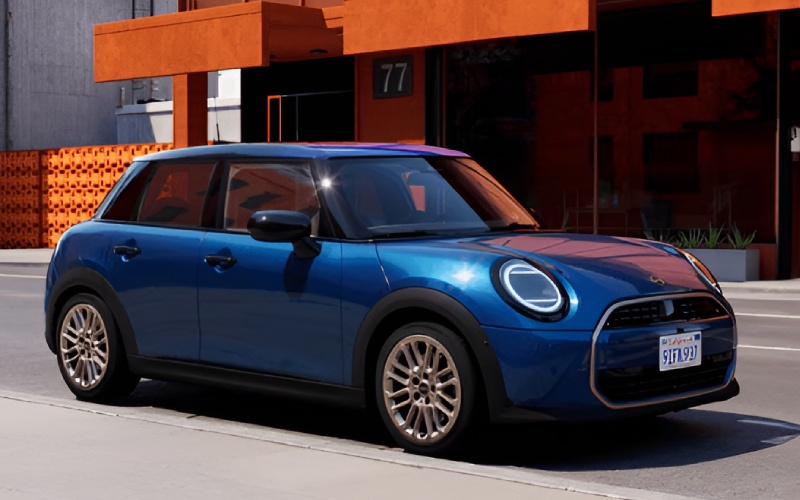
MINI of Universal City – Does the 2026 MINI Cooper 4 Door include wireless Apple CarPlay® and Android Auto™ near Playa Vista, CA?
For Playa Vista drivers balancing coastal commutes, tech campus drop-offs, and weekend coffee runs at Runway, seamless smartphone integration can make or break the daily drive. The 2026 MINI Cooper 4 Door delivers exactly that—with standard wireless Apple CarPlay® and Android Auto™ across the lineup—so you can connect, navigate, and stream without fishing for a cable on Jefferson Boulevard or Lincoln Boulevard.
At MINI of Universal City, we see how connectivity shapes real-world driving around Silicon Beach. The MINI Cooper 4 Door’s MINI Operating System 9, centered on a vibrant 9.4″ OLED Display, brings your favorite apps to life with crisp graphics, intuitive touch and voice control, and responsive performance. Pair it with MINI Intelligent Personal Assistant, and you get a cockpit that listens, learns, and keeps your focus forward through Culver City connections, the Marina Freeway, or those tight Playa Vista garage ramps.
Here is a closer look at how wireless Apple CarPlay® and Android Auto™ work in the 2026 MINI Cooper 4 Door, why they matter for local driving, and how our team can help you personalize the experience before your first test drive.
First, a direct answer for in-market shoppers: yes, wireless Apple CarPlay® and Android Auto™ are standard on the 2026 MINI Cooper 4 Door. There is no trim walk or add-on required—whether you choose Cooper C or Cooper S, the connectivity comes built in. That means your phone links automatically at startup and your apps appear right on the MINI OLED Display without a single cord crossing the center console.
MINI built the tech around everyday ease. The 9.4″ circular OLED sits front and center, so maps, music, and calls are easy to glance at while you keep your eyes up and your hands on the Heated Steering Wheel. MINI Toggle Bar controls put volume and quick settings within reach, while the MINI Head-Up Display can project key driving information from MINI Navigation—ideal when you want turn-by-turn info without looking away from Lincoln Boulevard traffic. Use CarPlay® or Android Auto™ for your preferred apps on the OLED, and rely on native MINI Navigation with Head-Up Display when you want guidance projected in your line of sight.
Beyond the basics, wireless integration adds practical benefits for Playa Vista motorists navigating short hops or longer weekend drives up PCH. The system pairs quickly, remembers priority devices, and allows hands-free access to messages and music through Siri or Google Assistant—so cross-town texting stays voice-controlled, and distraction stays low.
To help you see how it fits your routine, here are the top benefits our shoppers ask about, tailored to local driving patterns.
- Instant linking: The system connects automatically at startup—no cable required when you leave a workout at the Sports Park or a meeting on Bluff Creek Drive.
- Familiar apps: Your go-to navigation, podcast, audiobook, and messaging apps appear with a clean, driver-oriented layout on the MINI OLED Display.
- Voice-first control: Use Siri or Google Assistant to send messages, place calls, or change playlists, while “Hey MINI” handles in-car tasks like climate settings and drive mode suggestions.
- Clean cabin: A wireless setup keeps the center console clutter-free—smart when you are slipping into compact Playa Vista parking stalls.
- Smart guidance: App-based navigation shines in dynamic LA traffic with real-time rerouting, while MINI Navigation integrates with Head-Up Display for eyes-up guidance.
- Shared car, smooth handoff: Multiple phones can be paired and a primary device set—ideal for households trading driving duty between Culver City and Marina del Rey.
- Ongoing upgrades: Remote Software Upgrade keeps system features current, and many app improvements arrive via your smartphone—no dealer visit required.
Getting started is straightforward. Whether you are pairing an iPhone before a coastal cruise or setting up Android Auto™ ahead of a coffee stop on Millennium Drive, the MINI Cooper 4 Door keeps the process quick and secure.
- Initial pairing: Enable Bluetooth and Wi-Fi on your phone, then follow the MINI OLED Display prompts to add a new device.
- App permissions: Approve access to contacts, messages, and notifications so voice and on-screen features work as intended.
- Set preferences: Choose your default audio apps, map preferences, and notification style for fewer taps on the road.
- Daily use: After the first setup, just start the MINI—your phone connects automatically, and your apps appear on the OLED.
- Hands-free habits: Use Siri or Google Assistant for messaging and calls, and “Hey MINI” for vehicle functions to minimize distractions.
Shoppers often ask how connectivity fits alongside the rest of the MINI tech ecosystem. MINI Operating System 9 anchors the experience with smooth touch response, while MINI Connected and the MINI App add remote features that complement your day—preconditioning the cabin before a warm afternoon at The Lawn, or checking vehicle status while you grab a bite at Runway. The MINI Intelligent Personal Assistant is always on-call with “Hey MINI,” ready to adjust temperature, answer quick questions, or switch MINI Experience Modes to match your mood on the drive home.
Trim strategy is refreshingly simple. Wireless Apple CarPlay® and Android Auto™ arrive standard. From there, you can scale features based on your priorities. Signature Trim includes essentials like MINI Navigation, Panoramic Moonroof, Heated Front Seats, Heated Steering Wheel, MINI Head-Up Display, and Parking Assistant. Signature Plus adds convenience and driver-assist upgrades, and Iconic Trim elevates immersion with available Harman Kardon Premium Sound System and Navigation with Augmented Reality for native MINI guidance. Regardless of trim, your smartphone connects wirelessly as soon as you climb in.
In real-world Playa Vista driving, the difference shows up in everyday moments—queuing for Jefferson Boulevard lights, circling for parking at The Shops at Playa Vista, or timing a sunset cruise to Dockweiler Beach. With wireless apps and voice assistance, the MINI Cooper 4 Door lets the tech serve the drive rather than distract from it. That complements the rest of the car’s personality—agile responses that feel at home on tight neighborhood streets, a Panoramic Moonroof that brightens coastal commutes, and a cabin that blends sustainable materials with sophisticated design.
If you would like help customizing your tech setup, our team can pre-pair your phone, walk you through voice controls, and demonstrate how MINI Navigation and your preferred apps can work side-by-side on a test loop. We can also show you how MINI Head-Up Display keeps key information in your sightline and how Parking Assistant features can simplify parallel moves near the Playa Vista Farmers’ Market or along Culver Boulevard.
When you are ready, visit MINI of Universal City in North Hollywood—an easy trip from Playa Vista via the 405 and 101. We are happy to set up your profile, pair your devices, and send you off with a connected cockpit that feels effortless from day one.
Frequently Asked Questions:
Is wireless Apple CarPlay® and Android Auto™ standard on every 2026 MINI Cooper 4 Door?
Yes. Wireless Apple CarPlay® and Android Auto™ are standard across the 2026 MINI Cooper 4 Door lineup, including Cooper C and Cooper S.
Do I need a cable to use Apple CarPlay® or Android Auto™ in the MINI Cooper 4 Door?
No. The system connects wirelessly after a quick initial pairing. From then on, your phone links automatically when you start the vehicle.
Can I use voice control for messages and media while driving around Playa Vista?
Yes. Use Siri or Google Assistant for messages, calls, and media within Apple CarPlay® or Android Auto™, and say “Hey MINI” for in-vehicle functions such as climate adjustments, audio source, or MINI Experience Modes.
Does navigation work in the MINI Head-Up Display if I prefer smartphone maps?
MINI Head-Up Display projects key driving information and works with native MINI Navigation. Many shoppers run smartphone maps on the MINI OLED Display and use MINI Navigation when they want guidance projected in the Head-Up Display. It is a flexible setup—choose the view that best supports your drive.
Will Apple CarPlay® and Android Auto™ use my phone’s data plan?
Yes. App-based navigation, streaming, and messaging use your smartphone’s data. You can manage usage in your phone’s settings and within individual apps.
Can more than one phone be paired in the 2026 MINI Cooper 4 Door?
Yes. You can pair multiple devices and set a primary phone for automatic connection. That way, each driver can keep their apps and contacts ready to go.
From Silicon Beach workdays to breezy weekend getaways, the 2026 MINI Cooper 4 Door keeps your digital life in sync with the road—cleanly, wirelessly, and confidently. If you would like a hands-on walkthrough, our team at MINI of Universal City will pair your phone, demonstrate the MINI OLED Display, and help you compare trims so your Cooper 4 Door feels tailor-made for life near Playa Vista.
0 comment(s) so far on Does the 2026 MINI Cooper 4 Door include wireless Apple CarPlay® and Android Auto™ near Playa Vista, CA?